Your terminal group chat

Every session,
one feed.

ccmux centralizes all your terminal sessions — across every Mac, Linux, or Windows machine — into one mobile app. Think of it as a group chat for your running processes: watch builds, catch errors, and type commands back. From anywhere.

brew brew install Highwall2016/tap/ccmux
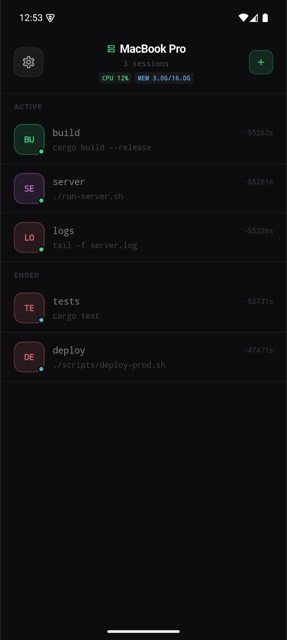
ccmux session list — all your terminals in one feed
16ms
PTY output latency
Scrollback buffer
2
Mobile platforms (iOS + Android)
0
Open ports on your machine

See it in action

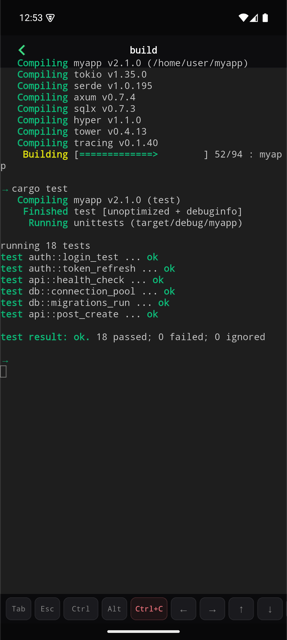
Sign in, see all your sessions at a glance, and interact with any terminal — all from your phone.

Your processes,
your pocket.

Three things that actually matter when you step away from your desk.

📱

One inbox for all your machines

Every terminal session — across every Mac, Linux box, or remote server — in a single scrollable feed, grouped by device. Active and ended sessions separated. Live CPU and memory shown in the header. Switch between machines without juggling SSH apps.

Multi-device
🔔

Processes message you back

ccmux watches every PTY stream for error patterns — error, panic, fatal, failed — and fires a push notification to your phone the moment it sees one. Start a release build, step away. Your terminal will ping you when it needs attention.

Firebase FCM
🔒

Secure by default

All PTY data travels over TLS-encrypted WebSocket. The agent makes outbound-only connections — no ports opened on your machine, no firewall rules to change. JWT-authenticated sessions, token rotation on every login, credentials stored locally.

WSS / TLS JWT auth zero open ports outbound-only

Up in 60 seconds

One command on your machine, then grab the app. Runs on macOS, Linux, and Windows.

Homebrew (macOS / Linux)
$ brew tap Highwall2016/tap
$ brew install ccmux
$ ccmux auth login
# Opens browser · sign in · your machine is registered

No Homebrew? curl -fsSL https://ccmux.highwall-lab.us.ci/install | sh — detects OS and arch automatically. View on GitHub →

PowerShell (Windows 10+)
PS> iwr -useb https://ccmux.highwall-lab.us.ci/install.ps1 | iex
# Downloads ccmux.exe + ccmux-agent.exe to %LOCALAPPDATA%\Programs\ccmux
# Adds to user PATH automatically

PS> ccmux auth login

Git Bash / WSL users: curl -fsSL https://ccmux.highwall-lab.us.ci/install | sh  ·  ccmux auth login starts the native Windows agent automatically. Create terminal sessions from WSL when you need PTY/tmux support.

Download the ccmux app:

Requires iOS 15+ or Android 8+. Sign in with the same account you used on your machine — your devices appear automatically.

Help when setup gets stuck

ccmux is a companion app for a self-hosted agent. If the mobile app cannot find sessions, check that the backend is reachable and the desktop agent is signed in with the same account.

Contact

Email whighwall@gmail.com for account, login, billing, or App Store support.

For reproducible bugs, include your app version, device model, and the command you ran on the desktop agent.

Issue tracker

Report product bugs or installer issues on GitHub Issues.

Release downloads and checksums are published on the releases page.

Troubleshooting

  • Run ccmux auth login on the desktop machine first.
  • Keep the agent process running while using the mobile app.
  • Use the same email, Apple, GitHub, or Google account on every device.