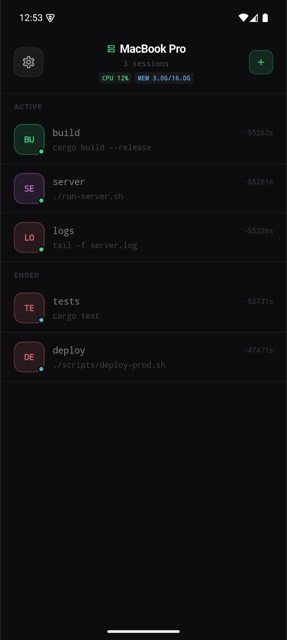
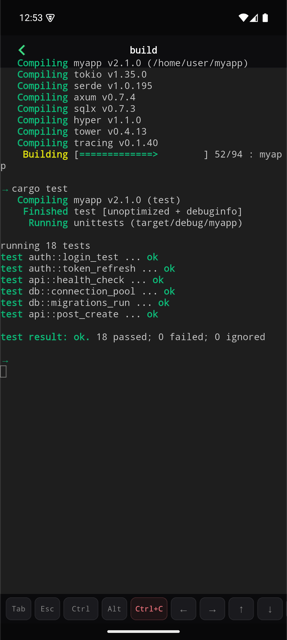
ccmux centralizes all your terminal sessions — across every Mac, Linux, or Windows machine — into one mobile app. Think of it as a group chat for your running processes: watch builds, catch errors, and type commands back. From anywhere.
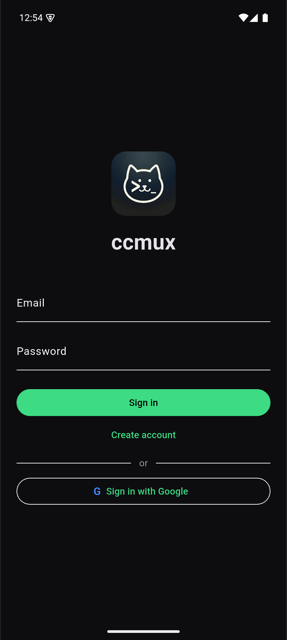
Sign in, see all your sessions at a glance, and interact with any terminal — all from your phone.
Three things that actually matter when you step away from your desk.
Every terminal session — across every Mac, Linux box, or remote server — in a single scrollable feed, grouped by device. Active and ended sessions separated. Live CPU and memory shown in the header. Switch between machines without juggling SSH apps.
Multi-deviceccmux watches every PTY stream for error patterns — error, panic, fatal, failed — and fires a push notification to your phone the moment it sees one. Start a release build, step away. Your terminal will ping you when it needs attention.
All PTY data travels over TLS-encrypted WebSocket. The agent makes outbound-only connections — no ports opened on your machine, no firewall rules to change. JWT-authenticated sessions, token rotation on every login, credentials stored locally.
One command on your machine, then grab the app. Runs on macOS, Linux, and Windows.
$ brew tap Highwall2016/tap $ brew install ccmux $ ccmux auth login # Opens browser · sign in with Google · your machine is registered
No Homebrew? curl -fsSL https://ccmux.highwall-lab.us.ci/install | sh — detects OS and arch automatically.
View on GitHub →
PS> iwr -useb https://ccmux.highwall-lab.us.ci/install.ps1 | iex # Downloads ccmux.exe + ccmux-agent.exe to %LOCALAPPDATA%\Programs\ccmux # Adds to user PATH automatically PS> ccmux auth login
Git Bash / WSL users: curl -fsSL https://ccmux.highwall-lab.us.ci/install | sh
· Native PTY sessions on Windows require WSL — run wsl -- ccmux-agent after install.
Download the ccmux app:
Requires iOS 15+ or Android 8+. Sign in with the same account you used on your machine — your devices appear automatically.